
Pravaani Studio
Make the video once. Dub it into every language your audience speaks.
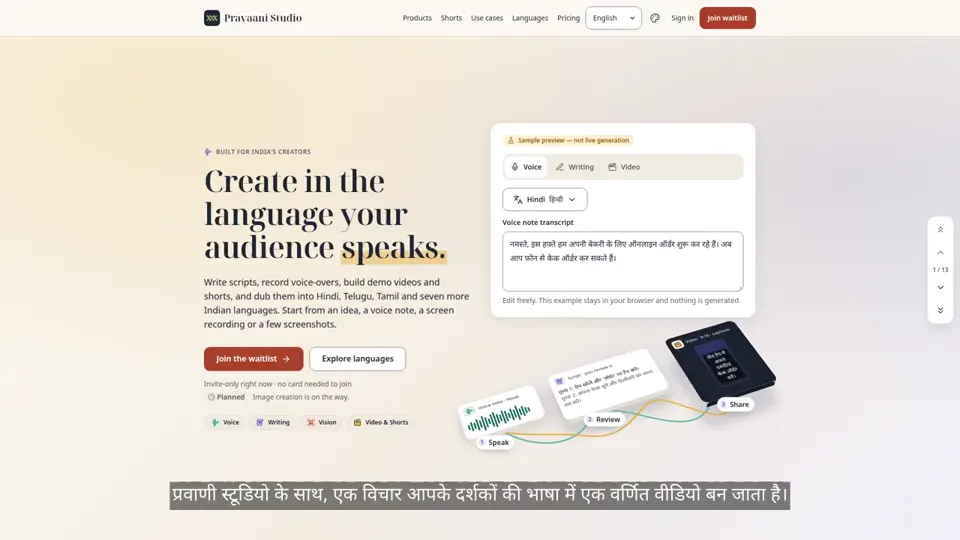
Write scripts, record voice-overs, build product demo videos and Shorts, and dub them into all 22 scheduled Indian languages, from Hindi, Tamil and Telugu to Odia, Assamese, Urdu and Santali (dubbing beyond the first ten in beta). Start from an idea, a voice note, a screen recording or a few screenshots.
Free to start. No card needed. Image creation is on the way. Watch real Shorts made by Studio
From one video to a Short
Start from one long video.
Studio cuts a moment from your video.
It reframes the moment to 9:16 around the action.
Then it burns in captions in the language’s own script.
The same video, in another language
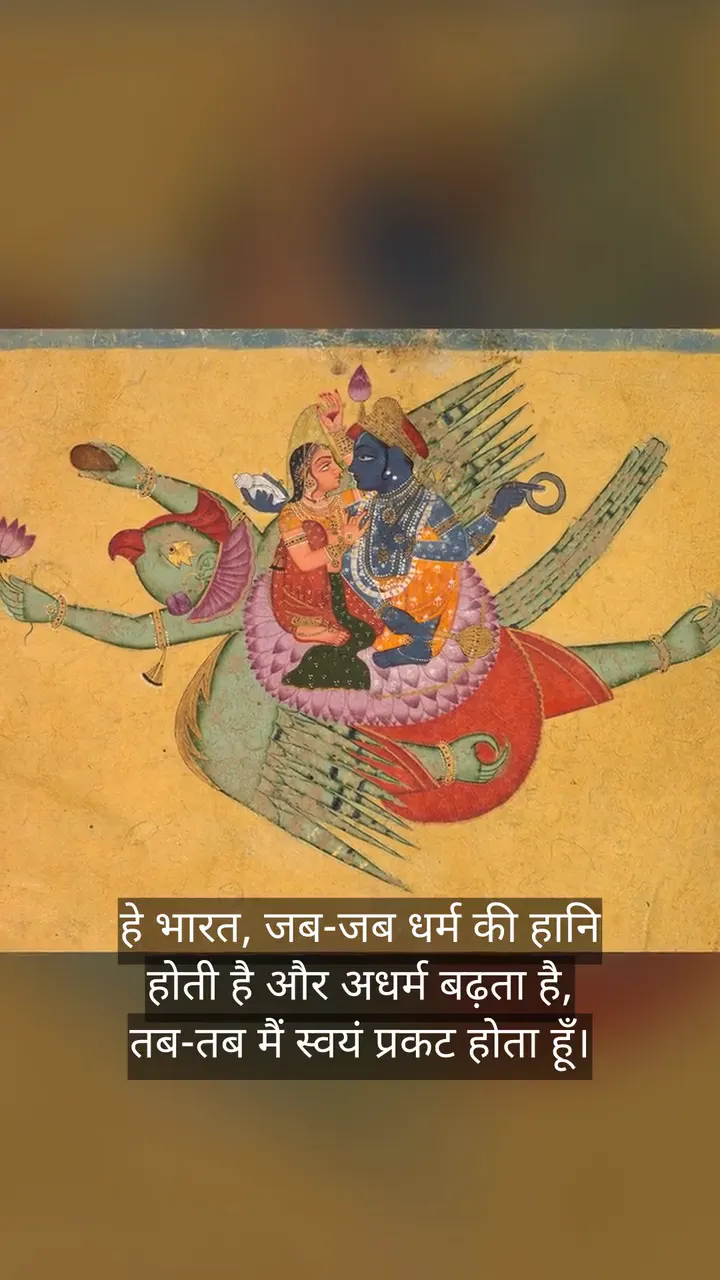
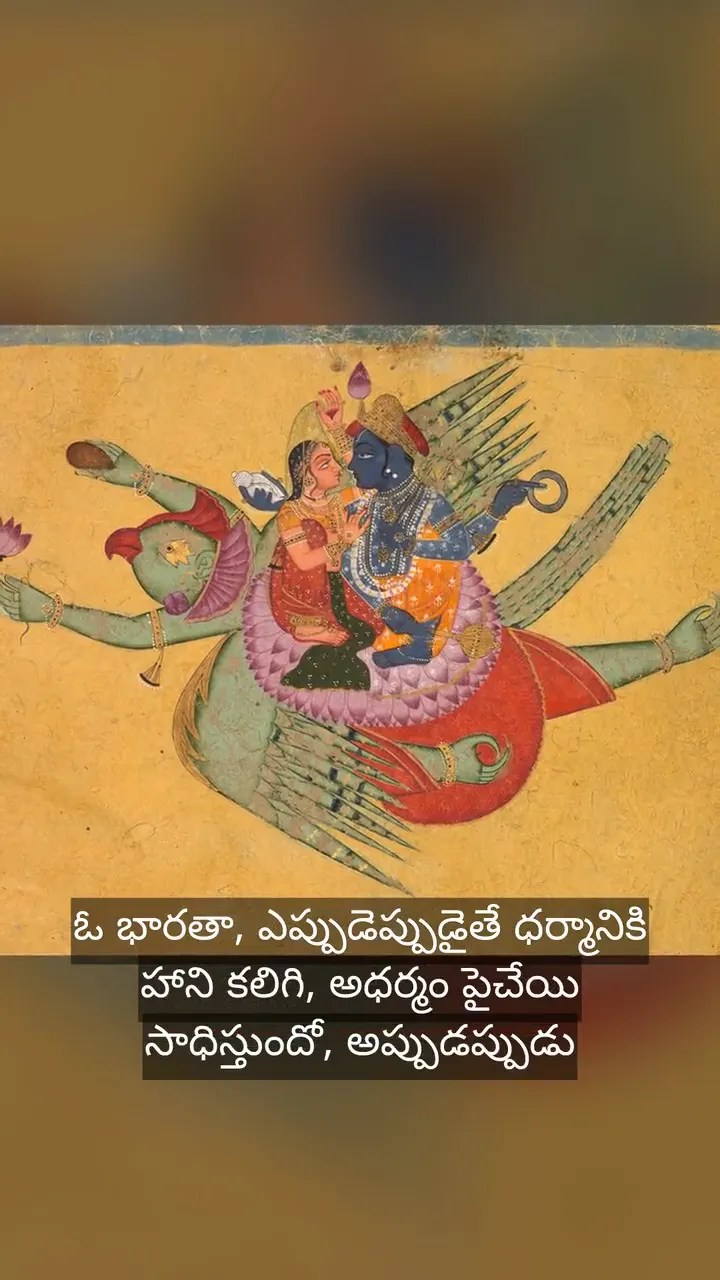
Hindi captions, then Telugu, on the same frame.
Cut Shorts from each dub, captioned in the language’s own script.
Made with Pravaani Studio
Four Gita verses, seven languages.
Studio made this video from five public-domain paintings and the public-domain Sanskrit text of the Bhagavad Gita, read at a measured pace over instrumental music generated for it, then made it again in six more languages from reviewed translations, with captions in each script. Pick a language and press play.
- संस्कृतम् Sanskrit original
- हिन्दी Hindi
- தமிழ் Tamil
- తెలుగు Telugu
- বাংলা Bengali
- ಕನ್ನಡ Kannada
- English
Verses 2.47, 2.20, 4.7–8 and 18.66. Paintings: public domain, from the Cleveland Museum of Art and the San Diego Museum of Art. Translations pending review by fluent speakers. Image and text credits
Read the text in Sanskrit
श्रीभगवानुवाच ।
कर्मण्येवाधिकारस्ते मा फलेषु कदाचन ।
मा कर्मफलहेतुर्भूर्मा ते सङ्गोऽस्त्वकर्मणि ॥
न जायते म्रियते वा कदाचिन्नायं भूत्वा भविता वा न भूयः ।
अजो नित्यः शाश्वतोऽयं पुराणो न हन्यते हन्यमाने शरीरे ॥
यदा यदा हि धर्मस्य ग्लानिर्भवति भारत ।
अभ्युत्थानमधर्मस्य तदात्मानं सृजाम्यहम् ॥
परित्राणाय साधूनां विनाशाय च दुष्कृताम् ।
धर्मसंस्थापनार्थाय सम्भवामि युगे युगे ॥
सर्वधर्मान्परित्यज्य मामेकं शरणं व्रज ।
अहं त्वा सर्वपापेभ्यो मोक्षयिष्यामि मा शुचः ॥
भगवान ने कहा।
तुम्हारा अधिकार केवल कर्म करने में है, उसके फलों में कभी नहीं। कर्मफल को ही अपना उद्देश्य मत बनाओ, और न ही अकर्मण्यता में तुम्हारी आसक्ति हो।
यह आत्मा न कभी जन्म लेती है, न कभी मरती है। ऐसा नहीं कि यह पहले नहीं थी या आगे नहीं रहेगी। यह अजन्मा, नित्य, शाश्वत और सनातन है; शरीर के नष्ट होने पर भी इसका नाश नहीं होता।
हे भारत, जब-जब धर्म की हानि होती है और अधर्म बढ़ता है, तब-तब मैं स्वयं प्रकट होता हूँ। सज्जनों की रक्षा के लिए, दुष्कर्म करने वालों के विनाश के लिए, और धर्म की पुनः स्थापना के लिए, मैं युग-युग में अवतार लेता हूँ।
सब धर्मों को त्यागकर केवल मेरी शरण में आओ। मैं तुम्हें सभी पापों से मुक्त कर दूँगा; शोक मत करो।
பகவான் கூறினார்.
செயல் செய்வதில் மட்டுமே உனக்கு உரிமை உண்டு; அதன் பலன்களில் ஒருபோதும் இல்லை.
செயலின் பலனையே குறிக்கோளாகக் கொள்ளாதே; செயல் செய்யாமையிலும் பற்றுக் கொள்ளாதே.
இது ஒருபோதும் பிறப்பதில்லை, இறப்பதில்லை; ஒருமுறை இருந்து மறுபடி இல்லாமல் போவதுமில்லை.
இது பிறப்பற்றது, நித்தியமானது, சாச்வதமானது, ஆதிகாலமுதலானது; உடல் அழிந்தாலும் இது அழியாது.
எப்போதெல்லாம் தர்மம் சிதைவடைகிறதோ, பாரதா,
அதர்மம் மேலெழுகிறதோ, அப்போதெல்லாம் நான் என்னை வெளிப்படுத்துகிறேன்.
சாதுக்களை காக்கவும், துஷ்டர்களை அழிக்கவும்,
தர்மத்தை நிலைநிறுத்தவும், யுகம் தோறும் நான் அவதரிக்கிறேன்.
எல்லா தர்மங்களையும் விட்டு, என்னை மட்டுமே சரணடை.
நான் உன்னை எல்லா பாவங்களிலிருந்தும் விடுவிப்பேன்; கவலைப்படாதே.
శ్రీభగవానుడు ఇలా అన్నాడు.
నీకు హక్కు ఉన్నది కేవలం కర్తవ్యాన్ని చేయడంలోనే, ఫలాలపై ఎప్పుడూ కాదు.
నీ కర్మఫలానికి నీవే కారణమని భావించవద్దు; అకర్మలో కూడా ఆసక్తి పెంచుకోవద్దు.
ఇది ఎప్పుడూ పుట్టదు, చనిపోదు; ఒకసారి ఉనికిలోకి వచ్చి మళ్లీ లేనిదైపోయేది కాదు.
ఇది అజన్మ, నిత్యము, శాశ్వతము, ఆదికాలంనాటి సత్యము; శరీరం నశించినా ఇది నశించదు.
ఓ భారతా, ఎప్పుడెప్పుడైతే ధర్మానికి హాని కలిగి, అధర్మం పైచేయి సాధిస్తుందో,
అప్పుడప్పుడు నేను స్వయంగా అవతరిస్తాను.
సజ్జనులను రక్షించడానికి, దుష్టులను నాశనం చేయడానికి,
ధర్మాన్ని స్థాపించడానికి నేను యుగయుగాలకూ అవతరిస్తూనే ఉంటాను.
అన్ని ధర్మాలను విడిచిపెట్టి, నన్నొక్కడినే శరణు పొందు.
నేను నిన్ను అన్ని పాపాల నుండి విముక్తి కలిగిస్తాను; శోకించవద్దు.
ভগবান বললেন।
তোমার অধিকার শুধু কর্মে, কখনোই তার ফলে নয়।
কর্মফলের কারণ বলে নিজেকে মনে কোরো না, আর অকর্মের প্রতিও তোমার আসক্তি যেন না থাকে।
এর কখনো জন্ম হয় না, মৃত্যু হয় না। এটি একবার হয়ে আবার নষ্ট হয়ে যায় না।
এ অজ, নিত্য, শাশ্বত, পুরাতন; শরীর বিনষ্ট হলেও এ বিনষ্ট হয় না।
হে ভারত, যখনই ধর্মের অধঃপতন ঘটে,
আর অধর্মের উত্থান হয়, তখনই আমি নিজেকে প্রকাশ করি।
সাধুজনের রক্ষার জন্য, দুষ্কৃতিদের বিনাশের জন্য,
আর ধর্মের প্রতিষ্ঠার জন্য আমি যুগে যুগে অবতীর্ণ হই।
সব ধর্মাচরণ ত্যাগ করে শুধু আমারই শরণ নাও।
আমি তোমাকে সব পাপ থেকে মুক্তি দেব, শোক কোরো না।
ಶ್ರೀಭಗವಾನುವಾಚ ।
ಕರ್ಮದಲ್ಲೇ ನಿನಗೆ ಅಧಿಕಾರವಿದೆ, ಅದರ ಫಲಗಳಲ್ಲಿ ಎಂದಿಗೂ ಇಲ್ಲ ।
ಕರ್ಮಫಲವೇ ನಿನ್ನ ಉದ್ದೇಶವಾಗಬಾರದು, ಅಕರ್ಮಣ್ಯತೆಯ ಮೇಲೂ ನಿನಗೆ ಆಸಕ್ತಿ ಇರಬಾರದು ॥
ಇದು ಎಂದಿಗೂ ಹುಟ್ಟುವುದಿಲ್ಲ, ಸಾಯುವುದಿಲ್ಲ; ಒಂದು ಬಾರಿ ಇದ್ದು ಮತ್ತೆ ಇಲ್ಲವಾಗುವುದೂ ಅಲ್ಲ ।
ಇದು ಅಜ, ನಿತ್ಯ, ಶಾಶ್ವತ, ಪ್ರಾಚೀನ; ದೇಹ ನಾಶವಾದರೂ ಇದು ನಾಶವಾಗುವುದಿಲ್ಲ ॥
ಓ ಭಾರತ, ಯಾವಾಗ ಯಾವಾಗ ಧರ್ಮಕ್ಕೆ ಹಾನಿಯಾಗಿ
ಅಧರ್ಮವು ಹೆಚ್ಚುವುದೋ, ಆಗ ನಾನು ನನ್ನನ್ನೇ ಪ್ರಕಟಗೊಳಿಸುತ್ತೇನೆ ॥
ಸಜ್ಜನರ ರಕ್ಷಣೆಗೆ, ದುಷ್ಟರ ವಿನಾಶಕ್ಕಾಗಿ,
ಧರ್ಮವನ್ನು ಸ್ಥಾಪಿಸಲು ನಾನು ಯುಗಯುಗಾಂತರಗಳಲ್ಲೂ ಅವತರಿಸುತ್ತೇನೆ ॥
ಎಲ್ಲ ಧರ್ಮಗಳನ್ನು ತ್ಯಜಿಸಿ ನನ್ನೊಬ್ಬನ ಶರಣಾಗು ।
ನಾನು ನಿನ್ನನ್ನು ಎಲ್ಲ ಪಾಪಗಳಿಂದ ಮುಕ್ತಗೊಳಿಸುತ್ತೇನೆ; ಶೋಕಿಸಬೇಡ ॥
The Blessed Lord said.
You have a right only to action, never to its fruits.
Let not the fruits of action be your motive, nor let your attachment be to inaction.
The Self is never born, nor does it ever die.
Having once come into being, it never ceases to be again.
It is unborn, eternal, everlasting and ancient.
It is not destroyed when the body is destroyed.
Whenever there is a decline of righteousness, O Bharata,
and a rise of unrighteousness, then I manifest Myself.
For the protection of the good, for the destruction of evildoers,
and for the establishment of dharma, I come into being age after age.
Abandoning all forms of duty, take refuge in Me alone.
I shall free you from all sin. Do not grieve.
Paintings and sources
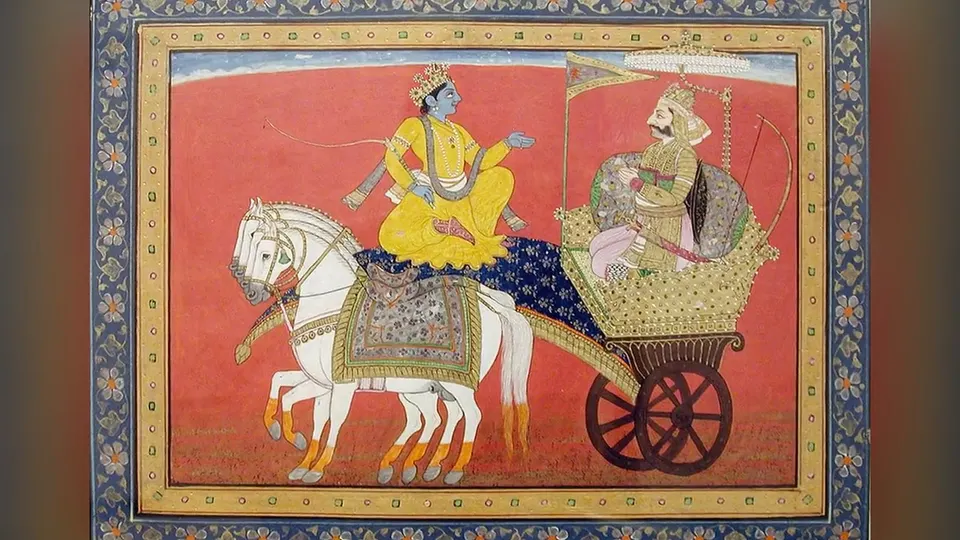
- Opening: Dialogue between Krishna and Arjuna on the battlefield of Kurukshetra, unknown Pahari artist, about 1820, San Diego Museum of Art, Edwin Binney 3rd Collection
- Verse 2.47: Krishna drives Arjuna’s chariot (an illustration to the Mahabharata), Paithan, Maharashtra, about 1800, Cleveland Museum of Art, CC0
- Verse 2.20: Vishnu on Ananta, the Endless Serpent, Chamba, Himachal Pradesh, about 1700, Cleveland Museum of Art, CC0
- Verses 4.7–8: Vishnu and Lakshmi on Garuda, Bundi, Rajasthan, about 1750, Cleveland Museum of Art, CC0
- Verse 18.66: Maharao Ram Singh II of Kota worships Brij Nathji as the Bridegroom, Kota, Rajasthan, 1830s, Cleveland Museum of Art, CC0
The Sanskrit text was checked word for word against Sanskrit Wikisource and sanskritdocuments.org.
Every language
One video, 22 Indian languages
Studio translates the reviewed script, re-voices it with a voice for each language and re-renders the video with captions in that language’s own script. Then cut Shorts from each dub.
- Translate
- Re-voice
- Re-caption
- Shorts

- हिन्दीHindi
- తెలుగుTelugu
- தமிழ்Tamil
- ಕನ್ನಡKannada
- മലയാളംMalayalam
- বাংলাBengali
- मराठीMarathi
- ગુજરાતીGujarati
- ਪੰਜਾਬੀPunjabi
- ଓଡ଼ିଆOdia
- অসমীয়াAssamese · beta
- +11Urdu, Santali and nine more · beta
How it works
You stay in charge of every word.
Nothing is generated or published until you have read the script.
Bring your material
A voice note, screenshots, a screen recording or a short brief.
Review the script
You can review and edit the script, scene by scene, before generating.
Choose voice and language
Pick the language and a voice that supports it.
Get your video
Download it, add dubs, cut Shorts, or share a link.
 After: Hindi video
 Before: a screenshot
Made with Pravaani Studio
From one video to Shorts in every language.
Studio cuts a moment from your video, reframes it to 9:16 around the action and burns in captions in the language’s own script.
Real Studio output: cut, reframed and captioned by Studio’s Shorts renderer from a Studio demo video, 24 seconds each. The captions reuse that video’s transcript; no new voice was generated. Press play to hear it.
Tools for the whole launch.
14 templates
SaaS launch, onboarding tour, investor demo, Indic launch, Product Hunt launch and more; each sets tone, length and structure.
Storyboard editor
Change any scene’s voice-over, on-screen text, caption, duration or transition.
Dubbing
Translate the script, re-voice it and re-render the video with captions in all 22 scheduled Indian languages (beyond the first ten, in beta).
Captions and exports
Burned-in or SRT/VTT captions, MP4, MP3 and a PDF manual.
Voices and music
A voice library and six background tracks, or upload your own music.
Launch kit
Fifteen ready-to-edit pieces of launch copy generated from your project. On Creator plans and up.
Teams
Shared workspaces with owner, editor and viewer roles.
Your keys, your server
Bring keys for OpenAI-compatible models, Sarvam, ElevenLabs and more, or self-host with Docker Compose.
Four ways to start a video
Start from whatever you have. You review the script before anything is generated.
Voice
- In
- A voice note in Hindi
- Out
- A narrated video in Hindi
Writing
- In
- A rough brief or notes
- Out
- An editable script, storyboard and launch copy
Vision
- In
- Screenshots or a screen recording
- Out
- A narrated walkthrough
Video
- In
- Everything above
- Out
- MP4 in 16:9, 9:16 or 1:1
Languages
All 22 scheduled languages and English today
Interface translations are AI-drafted and awaiting fluent review, and the editing screens stay in English. Writing in a language is in beta.
| Language | Interface | Writing | Translation | Speech to text | Voice-over | Dubbing |
|---|---|---|---|---|---|---|
| हिन्दीHindi | Beta | Beta | Available | Available | Available | Available |
| తెలుగుTelugu | Beta | Beta | Available | Available | Available | Available |
| தமிழ்Tamil | Beta | Beta | Available | Available | Available | Available |
| ಕನ್ನಡKannada | Beta | Beta | Available | Available | Available | Available |
| മലയാളംMalayalam | Beta | Beta | Available | Available | Available | Available |
| বাংলাBengali | Beta | Beta | Available | Available | Available | Available |
| मराठीMarathi | Beta | Beta | Available | Available | Available | Available |
| ગુજરાતીGujarati | Beta | Beta | Available | Available | Available | Available |
| ਪੰਜਾਬੀPunjabi | Beta | Beta | Available | Available | Available | Available |
| ଓଡ଼ିଆOdia | Beta | Beta | Available | Available | Available | Available |
| অসমীয়াAssamese | Beta | Beta | Beta | Available | Available | Beta |
| اردوUrdu | Beta | Beta | Beta | Available | Available | Beta |
| बड़ोBodo | Beta | Beta | Beta | Available | Available | Beta |
| डोगरीDogri | Beta | Beta | Beta | Available | Available | Beta |
| کٲشُرKashmiri | Beta | Beta | Beta | Available | Available | Beta |
| कोंकणीKonkani | Beta | Beta | Beta | Available | Available | Beta |
| मैथिलीMaithili | Beta | Beta | Beta | Available | Available | Beta |
| ꯃꯤꯇꯩꯂꯣꯟManipuri (Meitei) | Beta | Beta | Beta | Available | Available | Beta |
| नेपालीNepali | Beta | Beta | Beta | Available | Available | Beta |
| संस्कृतम्Sanskrit | Beta | Beta | Beta | Available | Available | Beta |
| ᱥᱟᱱᱛᱟᱲᱤSantali | Beta | Beta | Beta | Available | Available | Beta |
| سنڌيSindhi | Beta | Beta | Beta | Available | Available | Beta |
| EnglishAdditional to the 22 | Available | Available | Available | Available | Available | Available |
The last twelve run on Pravaani Speech only. Transliteration and image tasks are planned. Reviewed 30 September 2026. See all 22 scheduled languages.
Video dubbing in Indian languages: common questions
Need calls answered in the same languages? See Pravaani Agents.
Still wondering?Ask the Pravaani agent itself, in your language. Talk to the agent
Can I dub a product demo video into Telugu, Tamil or Hindi?
Yes. Studio translates the script, re-voices it and re-renders the video with captions in all 22 scheduled Indian languages: Hindi, Telugu, Tamil, Kannada, Malayalam, Bengali, Marathi, Gujarati, Punjabi and Odia, with Assamese, Urdu and the other ten in beta.
Can I make a video from screenshots and a voice note?
Yes. Upload screenshots or a screen recording and record a voice note or type a brief. Studio writes the script, you review and edit every scene, and then it renders a narrated video with captions.
Can Studio cut Shorts from a long video?
Yes. Studio picks a moment from your video, reframes it to 9:16 around the action and burns in captions in the language’s own script. The Shorts on this page are real Studio output.
What formats can I export?
MP4 in 16:9, 9:16 or 1:1, with captions burned in or as SRT and VTT files, plus the voice-over as MP3 and a PDF manual. You can also share a link.
How much does Studio cost?
Studio’s plans, limits and prices are listed inside Studio. Each plan includes monthly credits, and usage is paid in Pravaani credits from the same wallet as the other products.
How is Studio different from Loom, Descript or ngram?
Studio adds voice-over and dubbing into all 22 scheduled Indian languages (dubbing beyond the first ten in beta), Shorts with captions in the language’s own script, and the same voice layer as Agents and Speech. You can start from an idea, a voice note, a screen recording or a few screenshots.
Make your first video.
Bring a voice note, screenshots or a brief. You review the script before anything is generated. Plans, limits and prices are listed inside Studio.